FDRestaurant POS & Kitchen Operations
Faster ordering at the table. Clearer execution in the kitchen.
Foodly brings counter billing, dine-in tables, KOT/KDS, modifiers, recipes and stock together so service teams and kitchen teams work from the same order truth.
Order operations
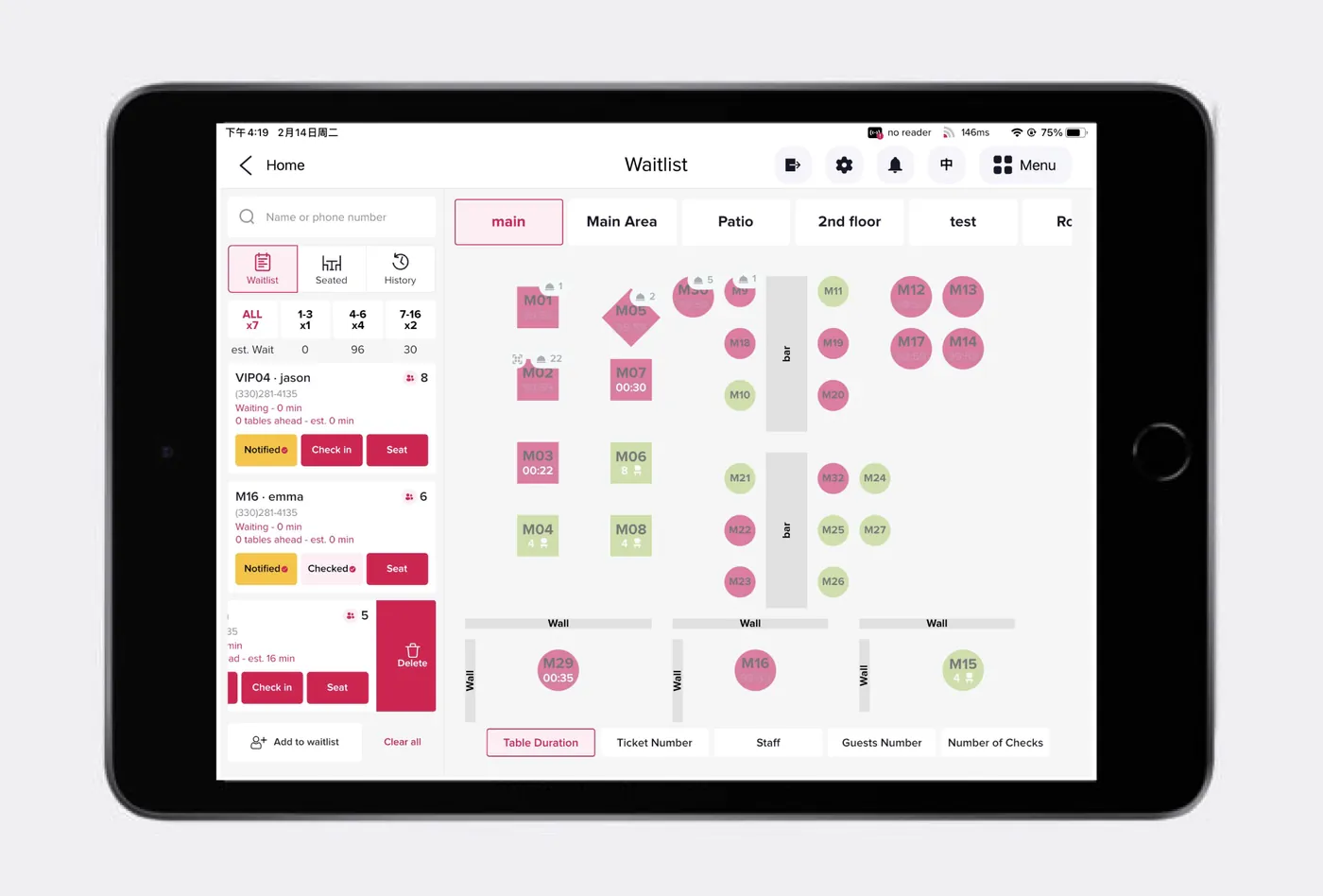
Live table and KOT flow
Kitchen queuePriority visibility
Stock impactRecipe-linked usage
Designed for your operation
Who Foodly POS is built for
Suitable for food businesses that require quick ordering and coordinated kitchen fulfilment.
Core modules
Control the complete workflow from one system
The order travels from selection to kitchen and settlement without re-entry.
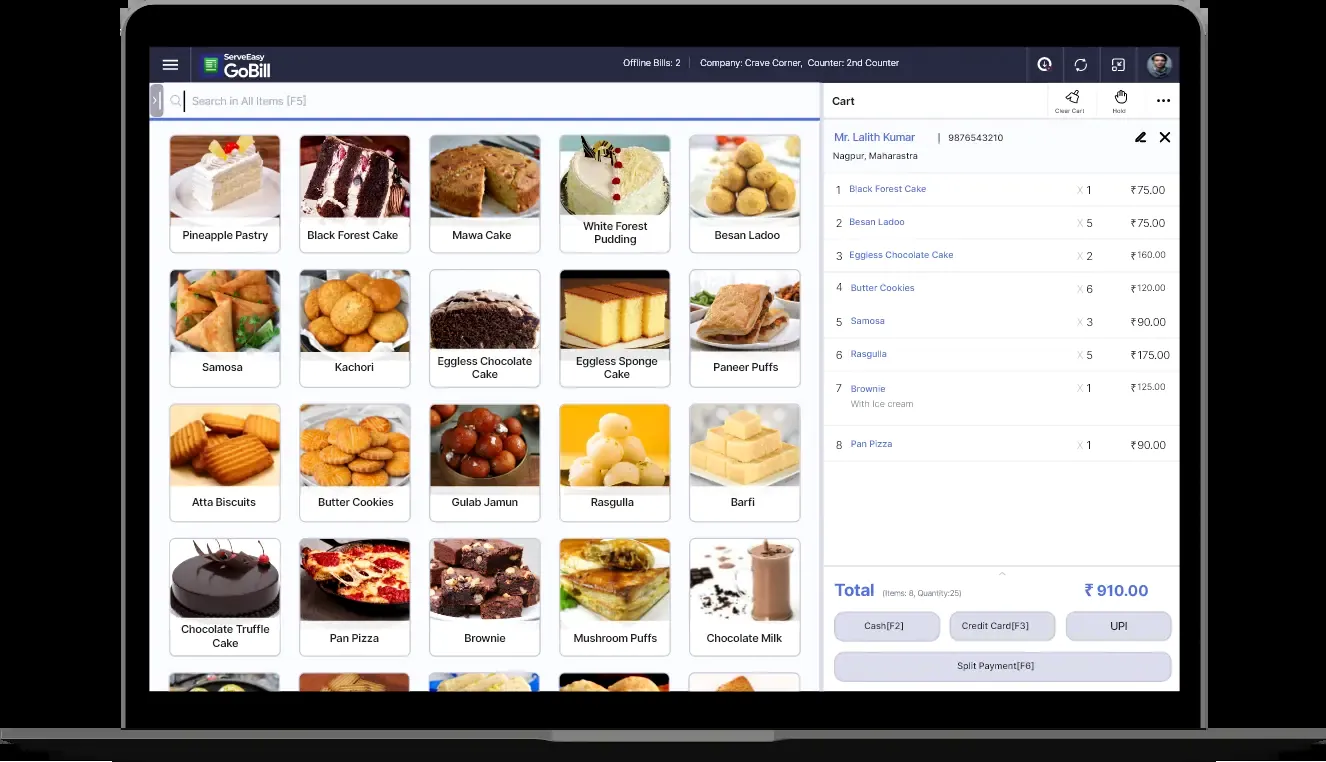
POS Billing
Dine-in, takeaway, delivery, split bills, taxes and payment handling.
Table Management
Floor, table status, merge, shift and guest tracking.
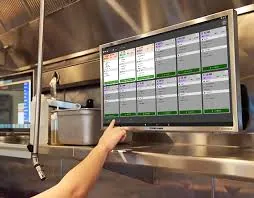
KOT & KDS
Kitchen routing, preparation queues, status and priority visibility.
Menu & Modifiers
Categories, variants, add-ons, combos and availability.
Recipe Inventory
Ingredient consumption, purchase and stock alerts.
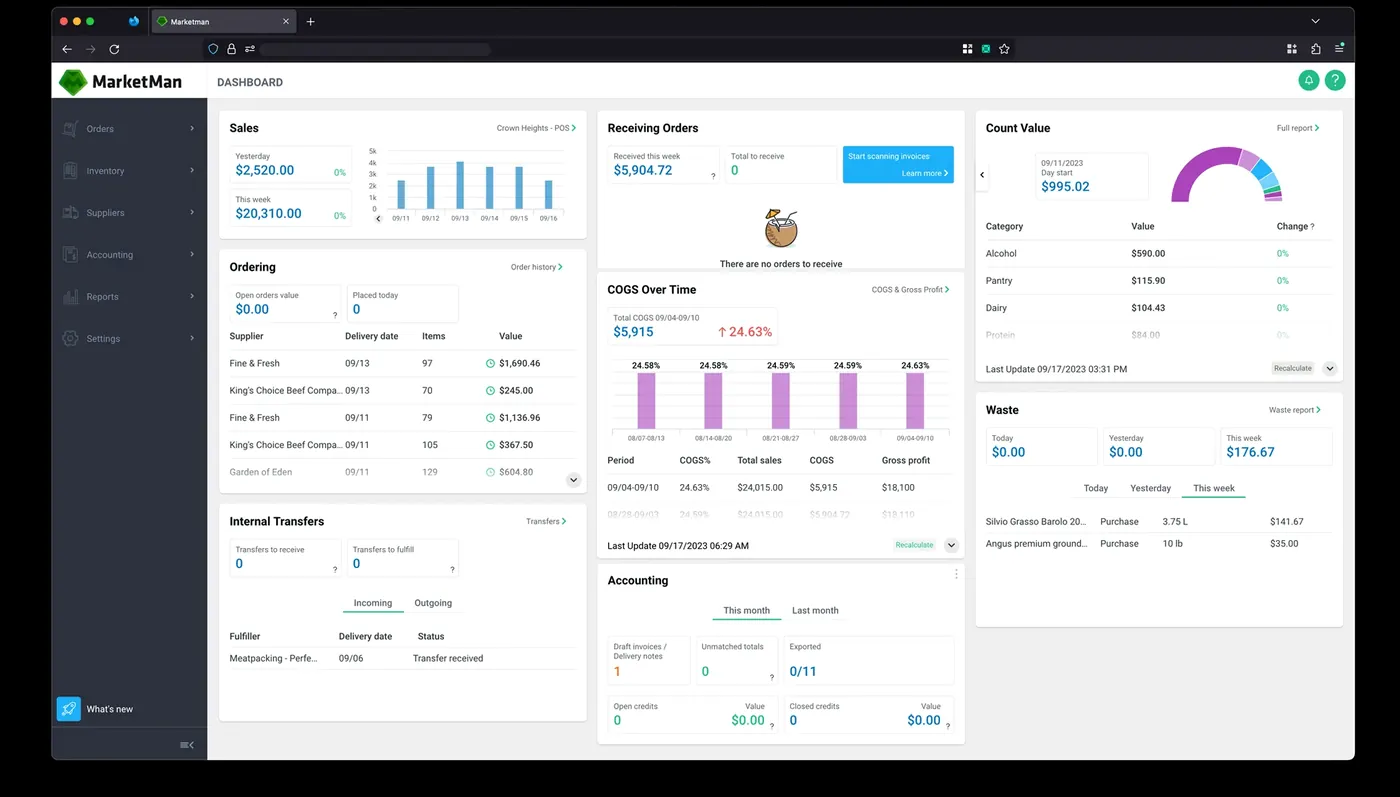
Sales Analytics
Item mix, category performance, shift sales and settlement reports.
Connected process
Order once, communicate instantly and settle accurately.
Foodly reduces handwritten coordination and keeps front-of-house and kitchen status aligned.
STEP 01Select & OrderChoose table, items, variants and modifiers.
STEP 02Route to KitchenGenerate KOT and show preparation queue.
STEP 03Serve & UpdateTrack prepared, served, cancelled and pending items.
STEP 04Bill & ReviewSettle payment and review sales and stock effects.
Operational clarity
A practical restaurant workflow that works under peak-hour pressure.
The interface and process are structured to reduce delays, missed items and settlement confusion.
- Fast touch-friendly item selection
- Clear KOT and kitchen status tracking
- Flexible table and order movement
- Modifiers, combos and availability controls
- Recipe-linked inventory consumption
- Shift, cashier and payment reconciliation
Fast order entryResponsive POS for counter and handheld use.
Kitchen clarityRoute items and track preparation status.
Menu controlManage variants, add-ons and availability.
Daily insightReview sales mix and settlement performance.
Product views
See the workflow in action
Representative screens and process views from the solution.
Business fit
Restaurant POS software for billing, KOT and kitchen coordination
Foodly POS brings counter billing, table service, KOT, kitchen display, modifiers and inventory into one restaurant workflow. It is designed for restaurants, cafes and food outlets that need faster order handling with clearer kitchen and stock visibility.
Evaluate the solution
Review the product overview, map your current workflow and validate the fit with a focused demo.
Frequently asked questions
Before you plan the implementation
Yes. The implementation can include company-specific masters, approvals, print formats, reports and integrations after requirement mapping.
The web interfaces are designed to be responsive. Device suitability depends on the module, scanning method and printer integration required.
Migration can be planned from spreadsheets or an existing system after checking data quality, mapping rules and reconciliation requirements.
We begin with discovery and process mapping, configure the system, validate with sample data, train users and then move to controlled go-live.